How to Use AI Cluster Analysis
AI Cluster Analysis helps you instantly understand your Kubernetes cluster health by detecting misconfigurations, failing pods, and resource bottlenecks. It provides a detailed report with plain-language explanations and actionable recommendations.
Follow these steps to use the AI Cluster Analysis tool on the Nife platform.
1. Log in to Your Account#
- If you’re a new user, create an account or sign up directly.
- If you’re already a user, simply log in to your account.
2. Navigate to the Tools Section#
From the sidebar, click on Tools.
3. Open Cluster Analysis#
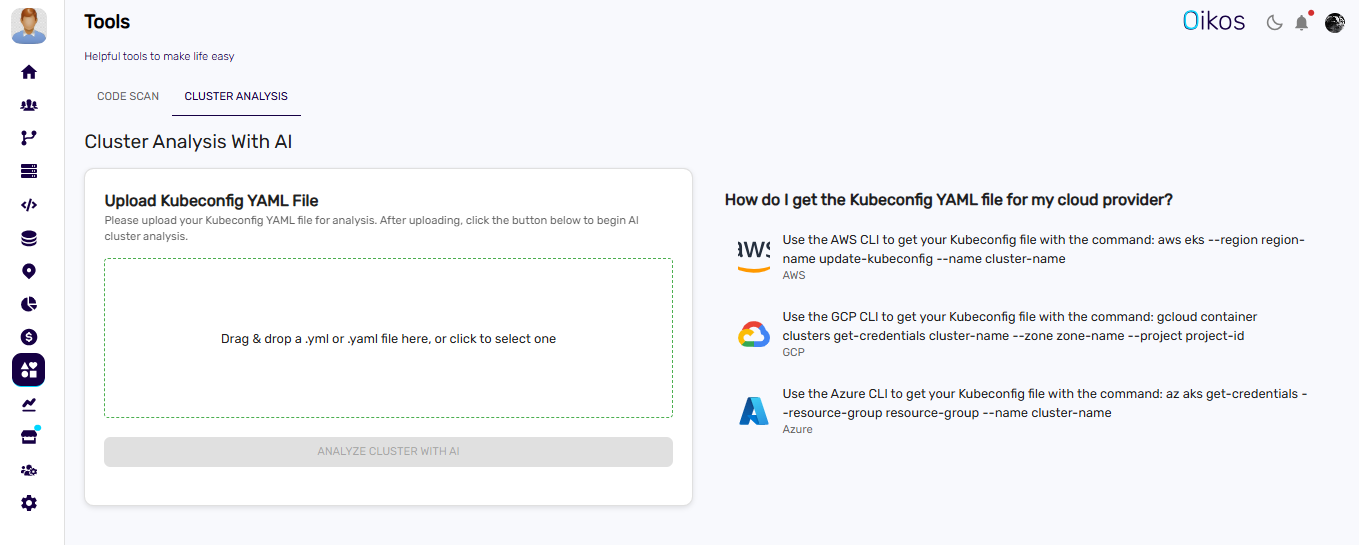
Inside the Tools section, select Cluster Analysis
4. Upload Your Cluster Config File#
To start the analysis:
Prepare your Kubernetes cluster config YAML file.
Click the Upload Config File button inside the Cluster Analysis tool.
5. Get the AI-Generated Cluster Health Report#
Once you upload the config file:
- The platform will scan your cluster configuration.
- You’ll receive a detailed health report highlighting:
- ✅ Misconfigurations
- ✅ Failing pods and crash loops
- ✅ Resource bottlenecks
- ✅ Node and deployment issues
This helps you quickly identify and understand cluster issues without running manual checks.
That’s It!#
With just one upload, you can transform complex cluster data into a clear, AI-generated health report.
Next Step: Upload your cluster config and analyze it today!