Nifex Tunnel Deployment
Nifex lets you deploy a secure tunnel into a connected cluster directly from the Clusters page. Once the Nifex tunnel is deployed to a cluster, you can use it to access any database deployed in that cluster's region — without exposing the database publicly.
Step 1: Open the Deploy to Kubernetes Dialog
On the Clusters page, locate the connected cluster you want to use and click the cube icon on the cluster card.
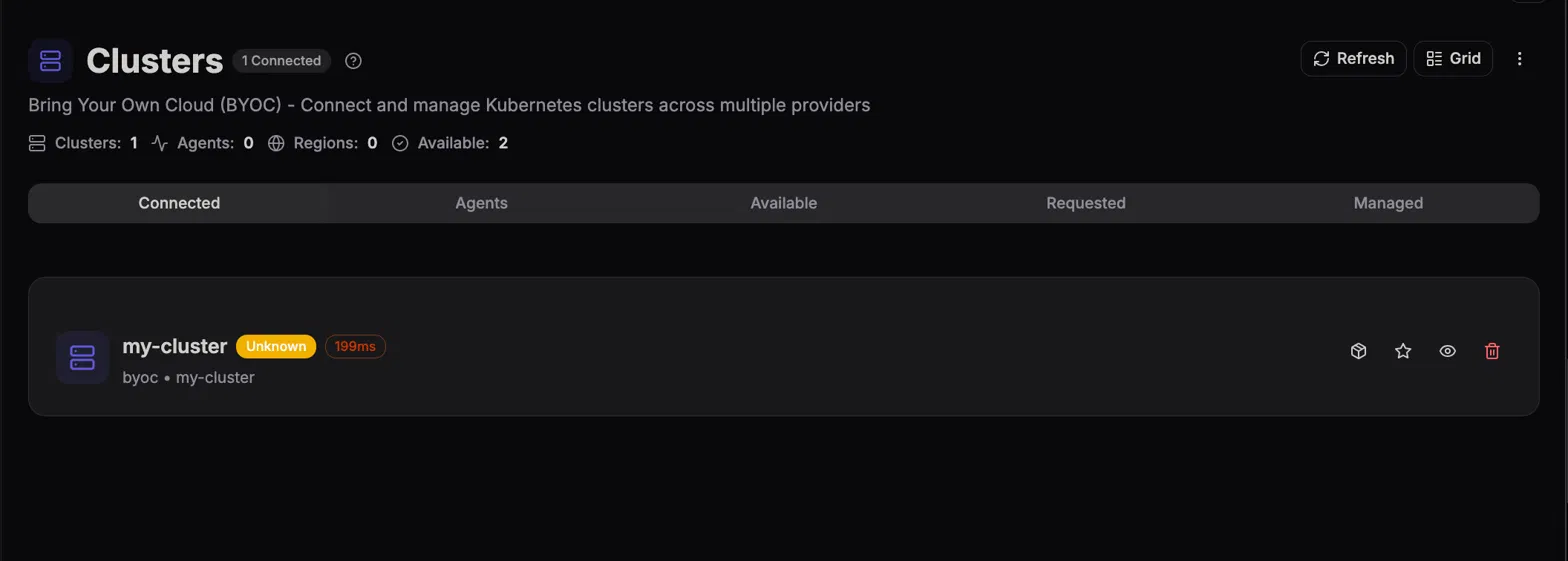
This opens the Deploy to Kubernetes dialog for that cluster.
Step 2: Select the Organization and Choose Nifex
In the Deploy to Kubernetes dialog:
- Select the Namespace for the deployment.
- Confirm the Target Cluster (this is pre-filled with the cluster you selected).
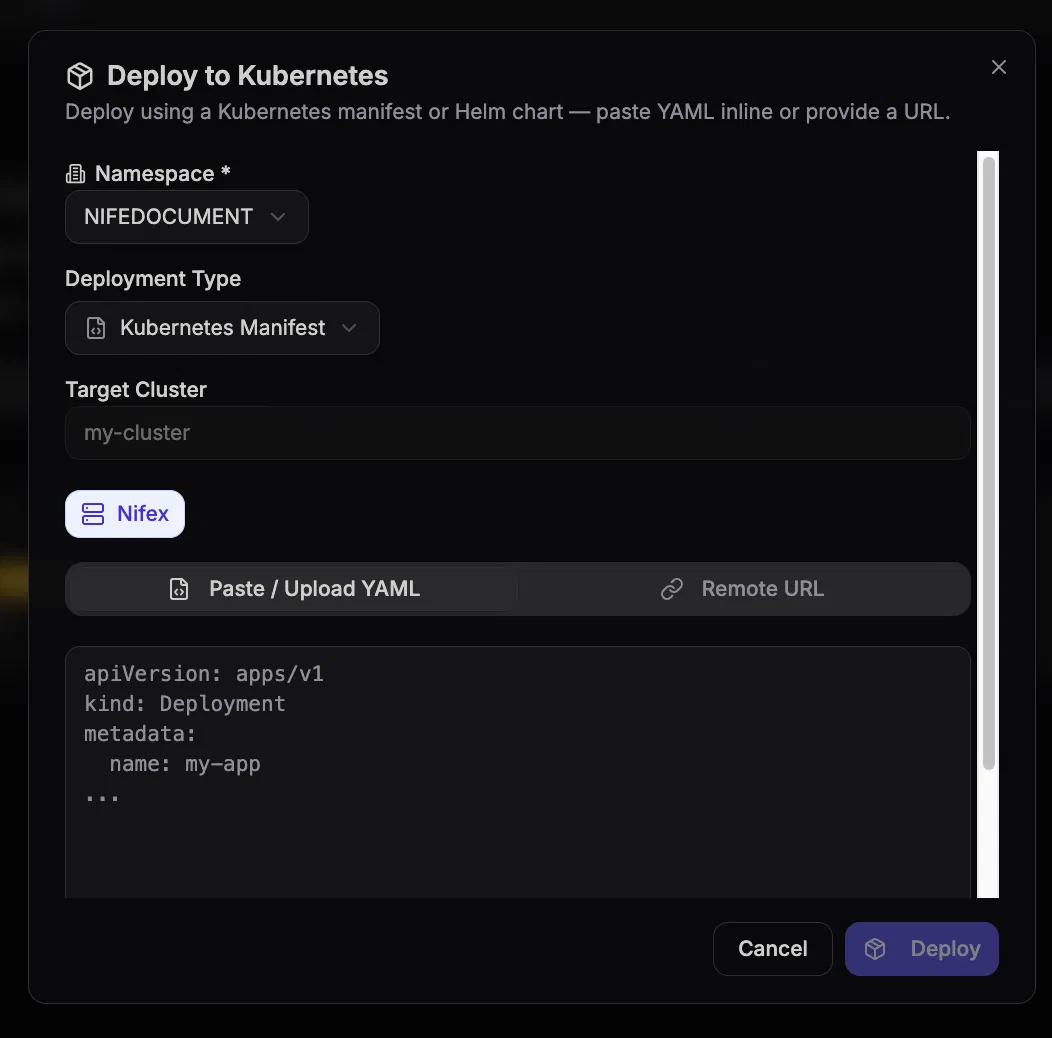
Step 3: Deploy the Nifex Tunnel
Click Deploy to confirm.
This deploys the Nifex tunnel to the selected cluster.
Step 4: Access Databases via the Nifex Tunnel
Once the Nifex tunnel is deployed, any database deployed in that cluster's region can be accessed through the tunnel — giving you secure connectivity to your databases without exposing them over the public internet.