Nife CLI Installation Guide | nifectl Setup
Installing the Nife CLI to deploy serverless applications from the terminal.
You can install it using the installers below, or download a release binary from the GitHub releases page.
macOS
Linux
Windows
GitHub
Linux and macOS
-
Launch the terminal.
-
Run the command:
curl -L https://api.nife.io/release/install.sh | sh
This creates a .nife folder and adds it to the PATH variable.
Windows
-
Launch the command prompt.
-
Run the command:
iwr https://api.nife.io/release/install.ps1 -useb | iex
GitHub
If you want to install it directly from GitHub, download it from the Nife GitHub releases.
Homebrew
If you use Linux or macOS, you can install using Homebrew.
Set up the brew tap:
brew tap nifetency/homebrew-tap
Install the CLI directly from Homebrew:
brew install nifetency/tap/nifectl
You can manage all upgrades to the CLI from the Homebrew Tap.
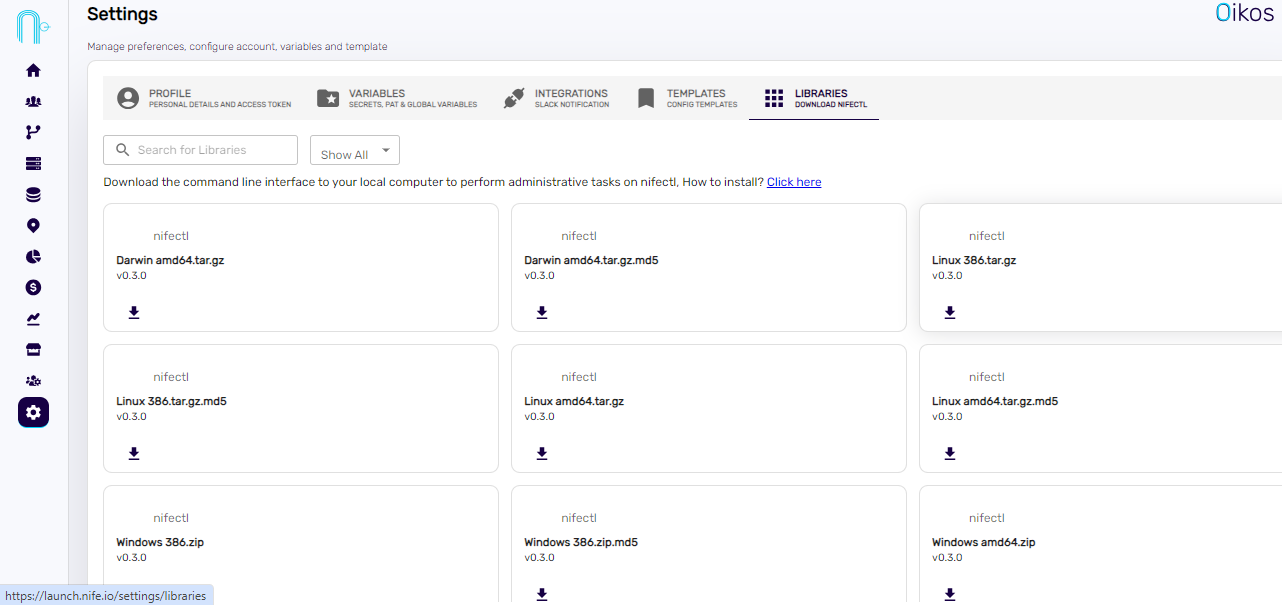
Nife UI
You can download nifectl directly from our UI here.
Related Resources
- 🛠️ Free Developer Tools — Useful tools for developers
- 🚀 Launch Dashboard — Open the Nife dashboard
- 🌐 nife.io — Learn more about Nife