Nife Access Tokens Guide
Obtaining and Using Access Tokens in Nife
Getting Started
- If you don’t have a Nife account, create one here.
- Learn more about signing in.
- Go to Nife Login and log in to your account.
Accessing Settings
- In the sidebar, locate and click on Token Management.
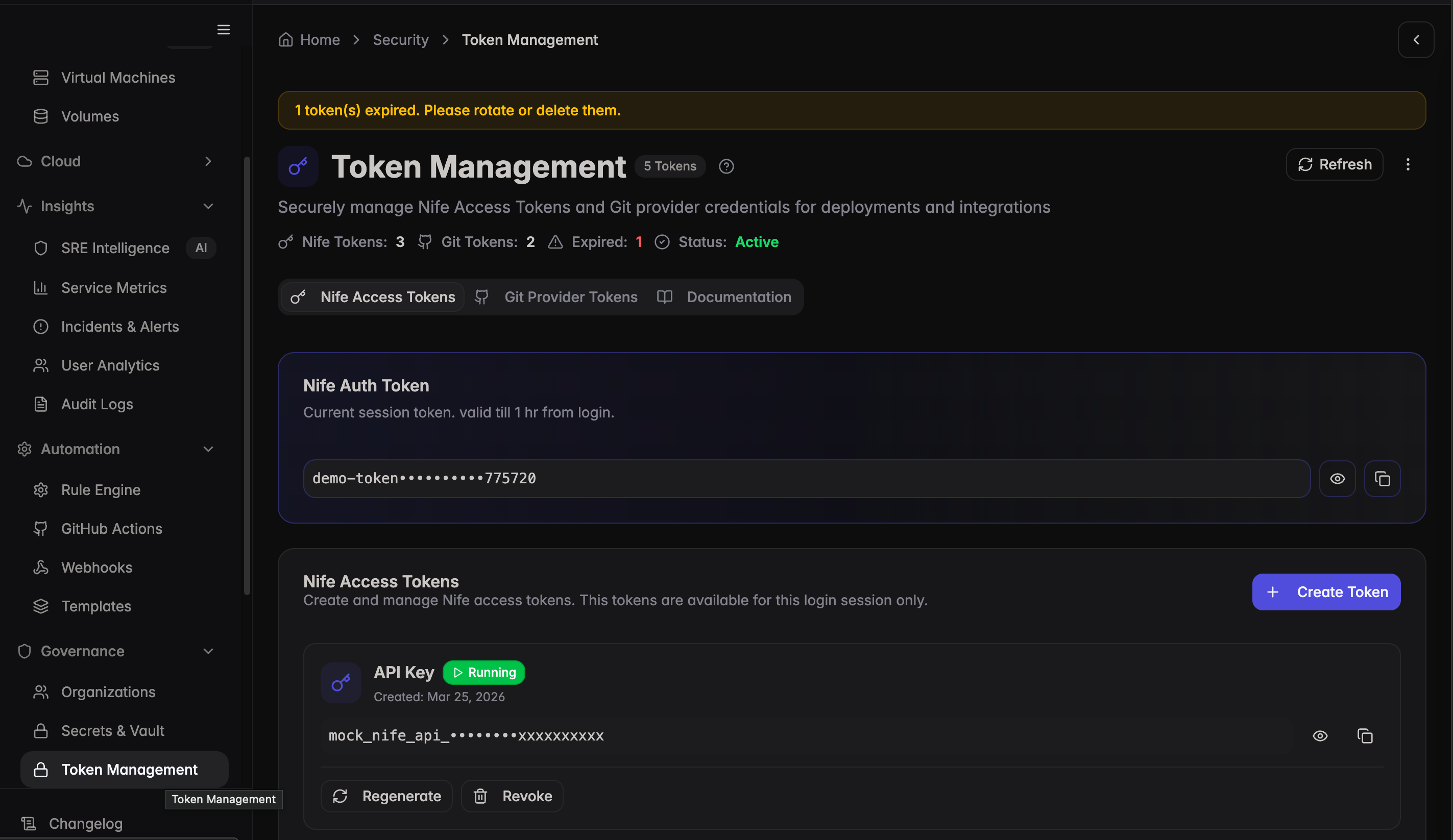
- Select Token from the settings options.
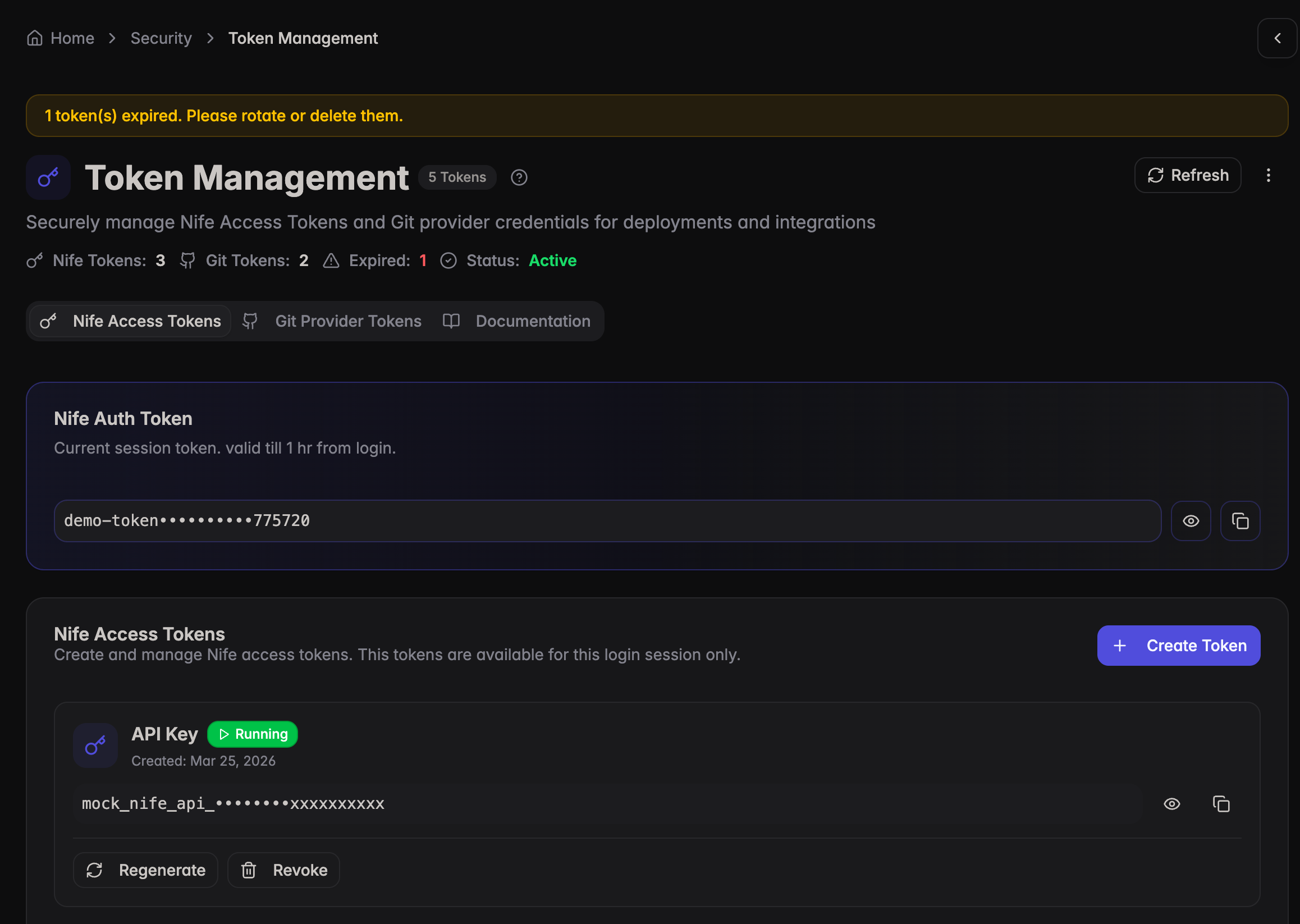
Obtaining Access Tokens
- Under Expire Time, you will see option to select token expiry time 1 Hour and 1000 Hours.
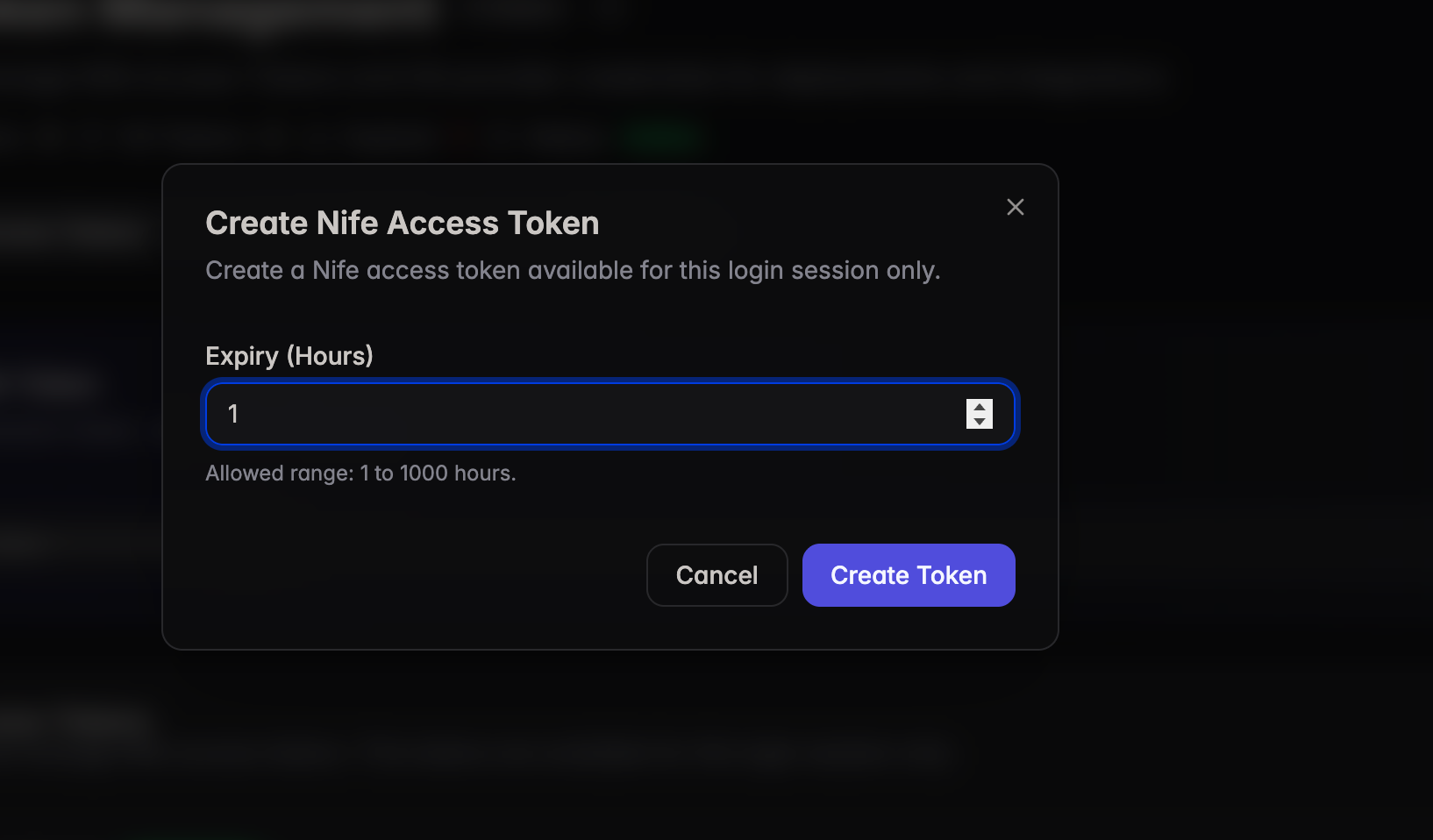
- Choose the token based on the expiration time you need.
- Copy the access token provided.
tip
For more details on token management, security best practices, and using tokens in your deployment workflow, please visit the Token Management documentation.
This token can be used for authentication, CI/CD integration, and also for logging into Nife-Cost (Cloud cost monitoring).