Application Overview | Manage Your Nife Deployments | Nife Docs
The Application Overview gives you a high-level summary of your deployed application's health, status, and key metrics.
Applications Dashboard View
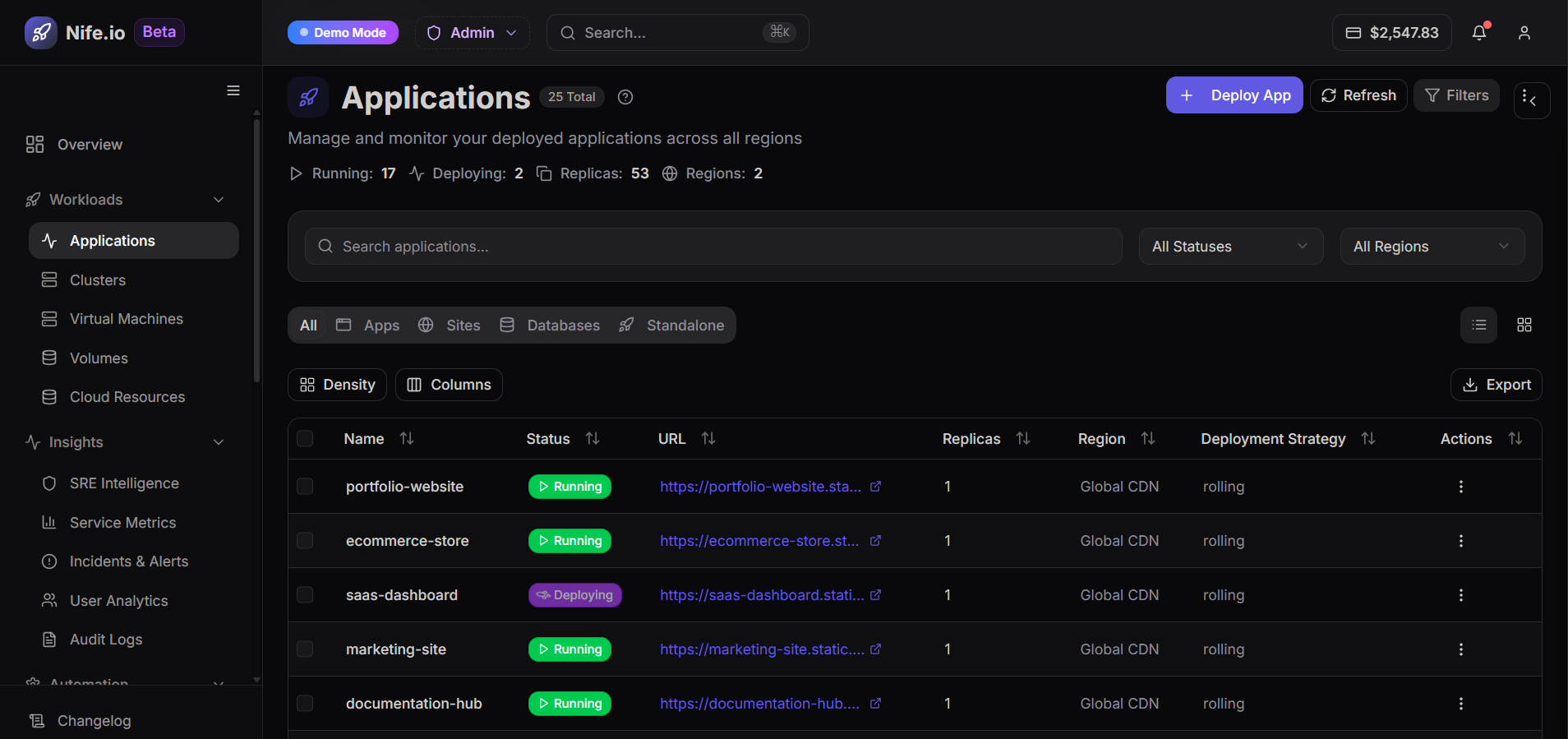
The Applications page provides a centralized view to manage and monitor all your deployed applications across regions. It allows you to track application status, access endpoints, and control deployments from a single interface.
Applications Table
The table displays detailed information for each application:
- Name – Name of the application
- Status – Current state (e.g., Running, Deploying)
- URL – Public endpoint of the application
- Replicas – Number of instances running
- Region – Deployment location
- Deployment Strategy – Method used for updates (e.g., rolling)
- Actions – Options to manage the application