Infrastructure Placement & Capacity
The Infrastructure dashboard (/infrastructure) gives platform engineering and SRE teams complete visibility into physical and virtual compute capacity, node placement density, and workload bin-packing efficiency across all connected Kubernetes clusters and bare-metal nodes.
Infrastructure Capacity Dashboard
The infrastructure dashboard aggregates real-time telemetry from the Nife Cluster Agent, visualizing CPU, Memory, Disk, and Pod utilization against maximum allocatable limits.
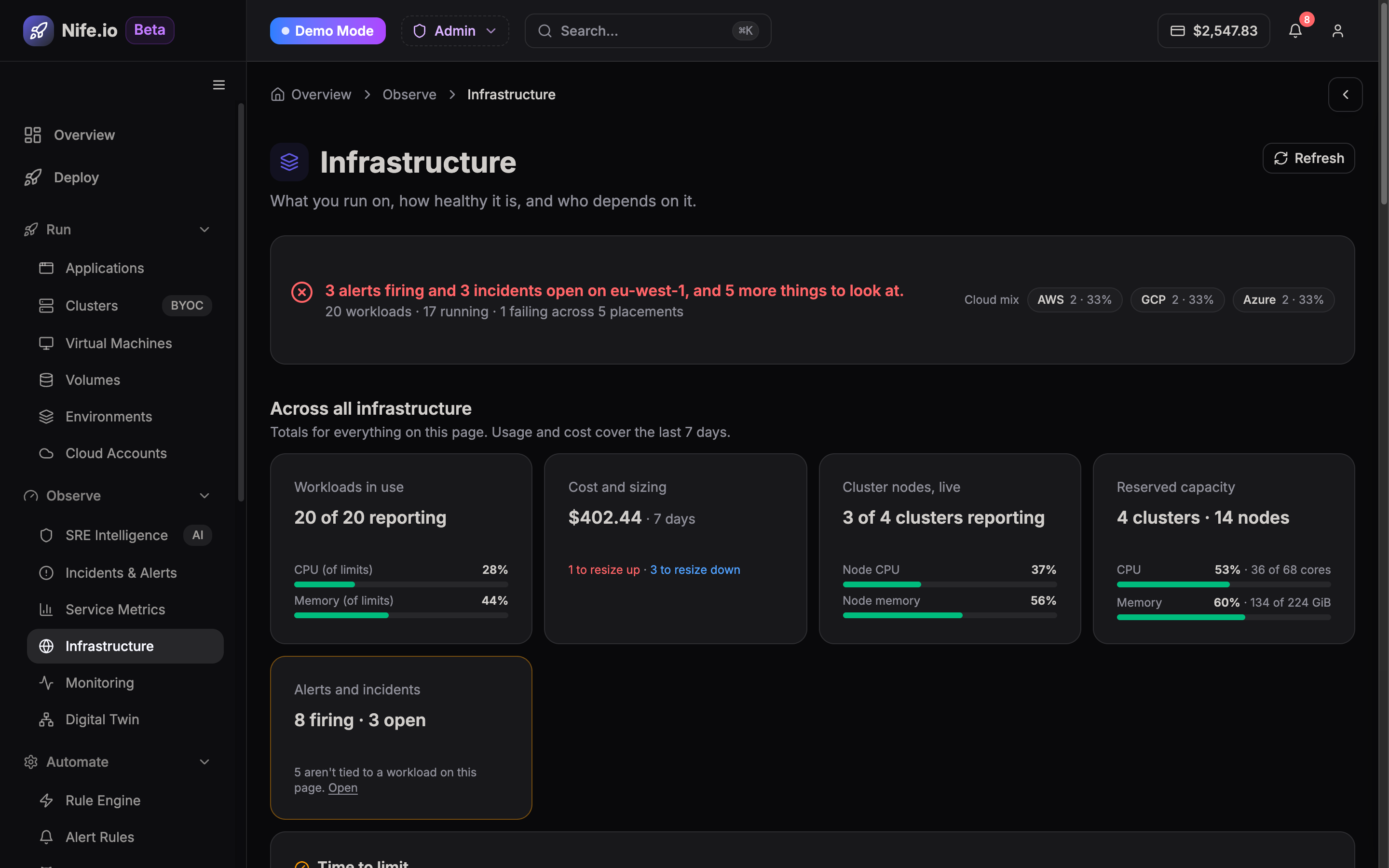
Core Infrastructure Metrics
The dashboard monitors key operational thresholds:
1. Compute Allocation vs. Usage
- CPU Allocatable vs. Requested: Compares total physical vCPUs reserved by Kubernetes pod resource requests against actual real-time CPU core usage.
- Memory Saturation: Tracks Resident Set Size (RSS) and cache memory consumption across worker nodes to prevent Out-Of-Memory (OOM) pod terminations.
- Node Allocation Density: Identifies nodes running near capacity or those with low utilization suitable for consolidation.
2. Regional & Zone Distribution
- Visualizes cluster node topology across availability zones (e.g.,
us-east-1a,us-east-1b,eu-west-1a). - Identifies single points of failure in multi-zone high-availability (HA) configurations.
3. Workload Bin-Packing & Optimization
- Idle Headroom Alerts: Flags underutilized worker instances where node autoscaling or pod rescheduling can reduce cloud infrastructure spend.
- Node Taints & Tolerations: Inspects GPU, spot instance, and dedicated workload node placement constraints.
Managing Node Pools & Placement Rules
From the Infrastructure view, administrators can:
- Drain & Cordon Nodes: Safely evict running pods to perform kernel upgrades or maintenance without application downtime.
- Inspect Pod Allocation: Drill down into individual worker nodes to view active containers, namespace allocations, and restart counts.
- Trigger Cluster Autoscaling: Adjust minimum and maximum node pool boundaries based on current placement demand.