Digital Twin Simulation & Topology
The Digital Twin module (/digital-twin) creates an interactive virtual replica of your live production architecture, microservice dependencies, and network traffic topology. Using real-time telemetry and AI simulation models, platform engineers can test "what-if" architectural scenarios, model disaster recovery failovers, and assess blast radius risk before shipping changes to production.
Digital Twin Architecture View
The Digital Twin view renders a dynamic node graph mapping ingress gateways, services, databases, persistent volumes, and inter-service HTTP/gRPC communication channels.
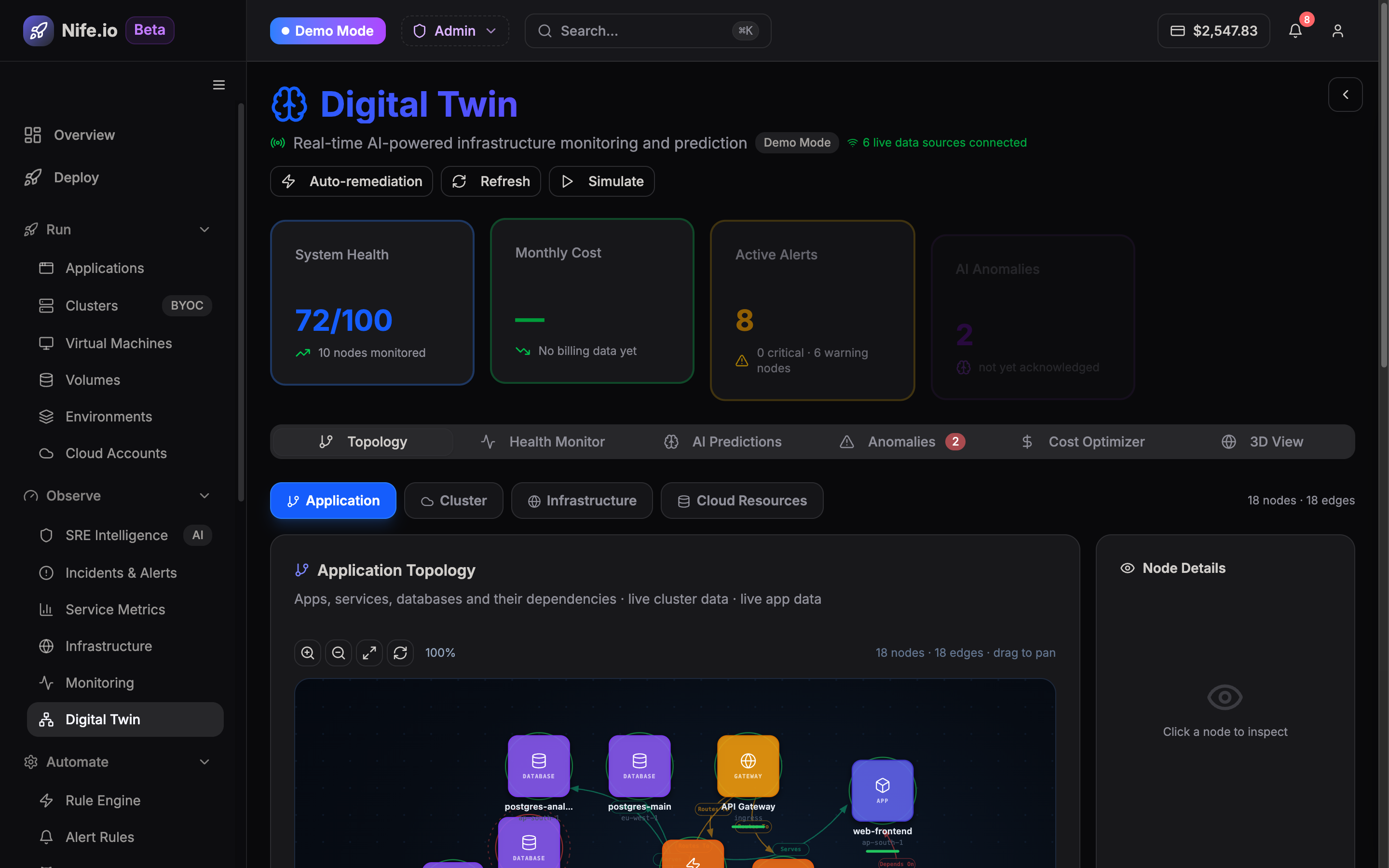
Key Simulation Capabilities
1. Multi-Region Failover Modeling
- Simulate the catastrophic outage of an entire cloud region or availability zone.
- Observe how intelligent load balancers redirect traffic to healthy regions.
- Verify whether secondary region node pools have sufficient capacity headroom to absorb diverted traffic without service degradation.
2. Service Dependency & Blast Radius Analysis
- Trace upstream callers and downstream dependencies for every microservice.
- Simulate latency spikes or complete database failure to evaluate circuit breakers, timeout limits, and fallback caches.
- Identify hidden circular dependencies and single points of failure across distributed environments.
3. Traffic Surge & Load Projections
- Model 5x to 50x traffic spikes against promotional campaigns or seasonal peaks.
- Predict horizontal pod autoscaler (HPA) reaction times and database connection pool exhaustion before real users are affected.
Running a Digital Twin Scenario
- Navigate to Digital Twin (
/digital-twin) from the Observe pillar. - Select an active environment (e.g., Production).
- Click New Simulation Scenario and choose a scenario type:
- Region Outage Simulation
- Database Latency Injection
- Microservice Kill Test
- Traffic Spike Projection
- Run the scenario and inspect the AI-generated Resilience Score and remediation recommendations.