Bring Your Own Cluster (BYOC)
Nife offers the Bring Your Own Cluster (BYOC) feature, allowing users to integrate their own clusters into the platform.
Adding BYOC Cluster:
-
From the dashboard, click on
Clusterin the sidebar. -
Click on
BYOC. -
Click on
Connect now.
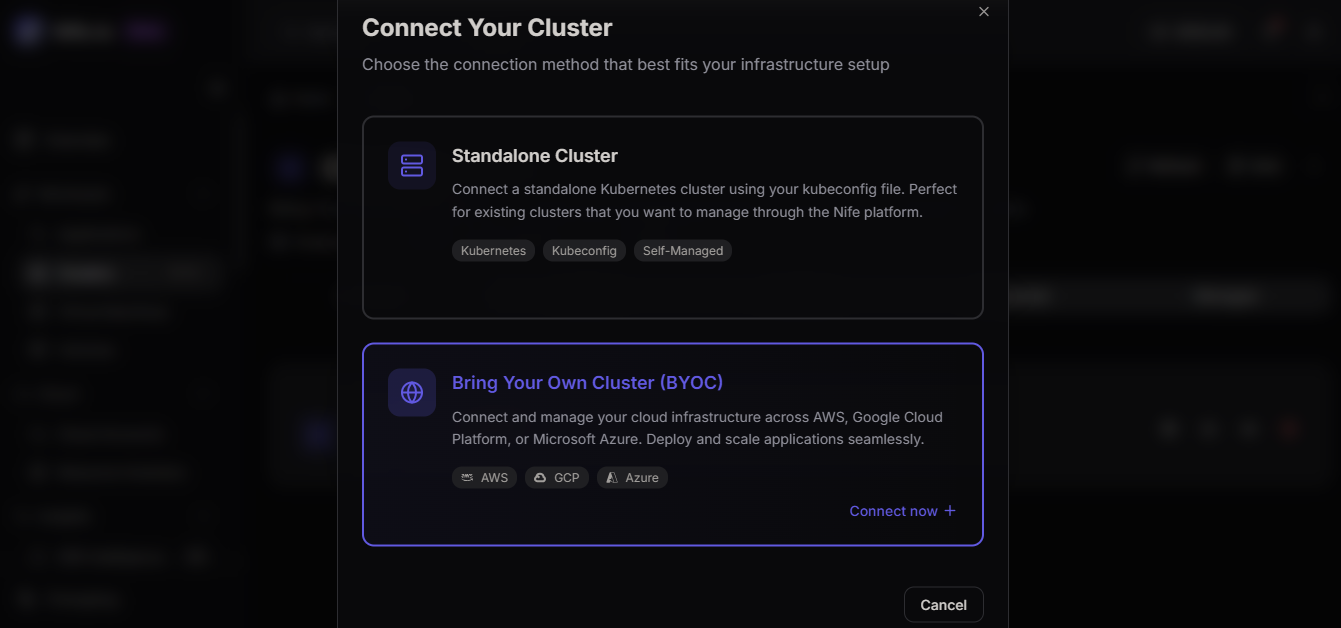
-
Choose the type of cluster you want to add:
- AWS
- GCP
- Azure
- Standalone Cluster
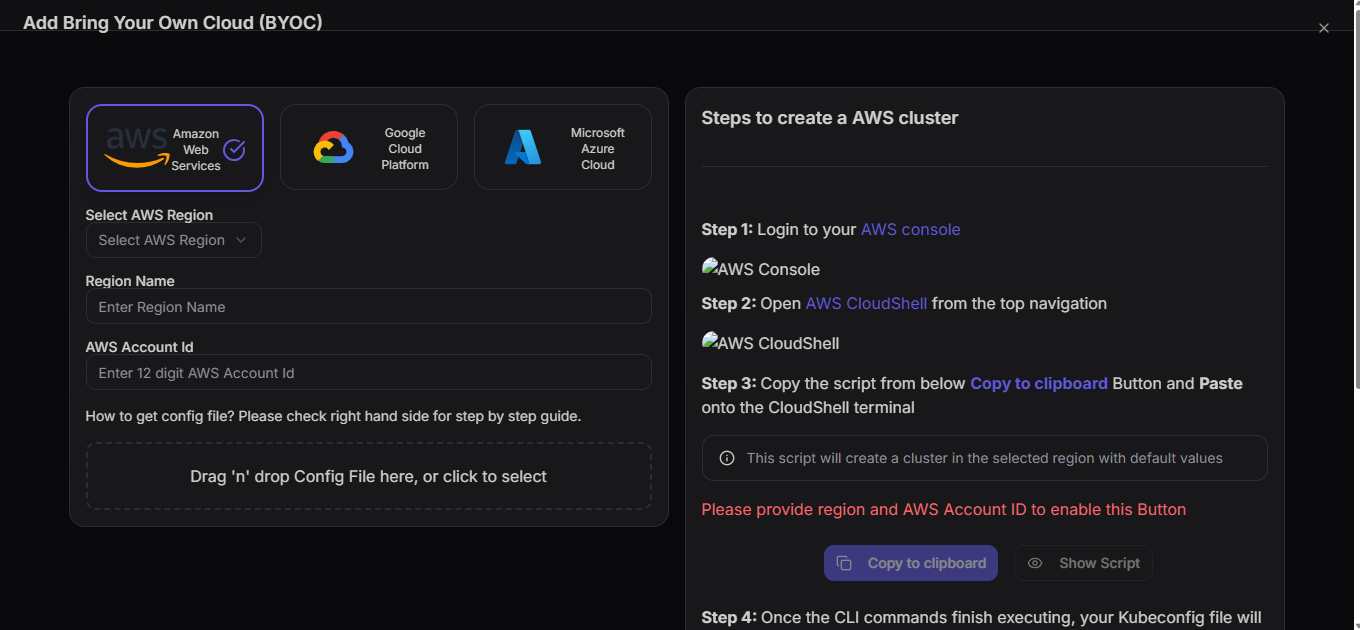
-
Fill in the details for your cluster.
tip
For detailed information on connecting with various cloud providers using BYOC, please refer to the Connecting with BYOC Cloud Providers guide.
-
Uploading Config File:
- You will need to upload a configuration file for your cluster.
- Refer to the step-by-step guide on the same page, located on the right-hand side, for assistance on obtaining the configuration file.
-
After uploading the config file, your BYOC gets added to the Nife platform.
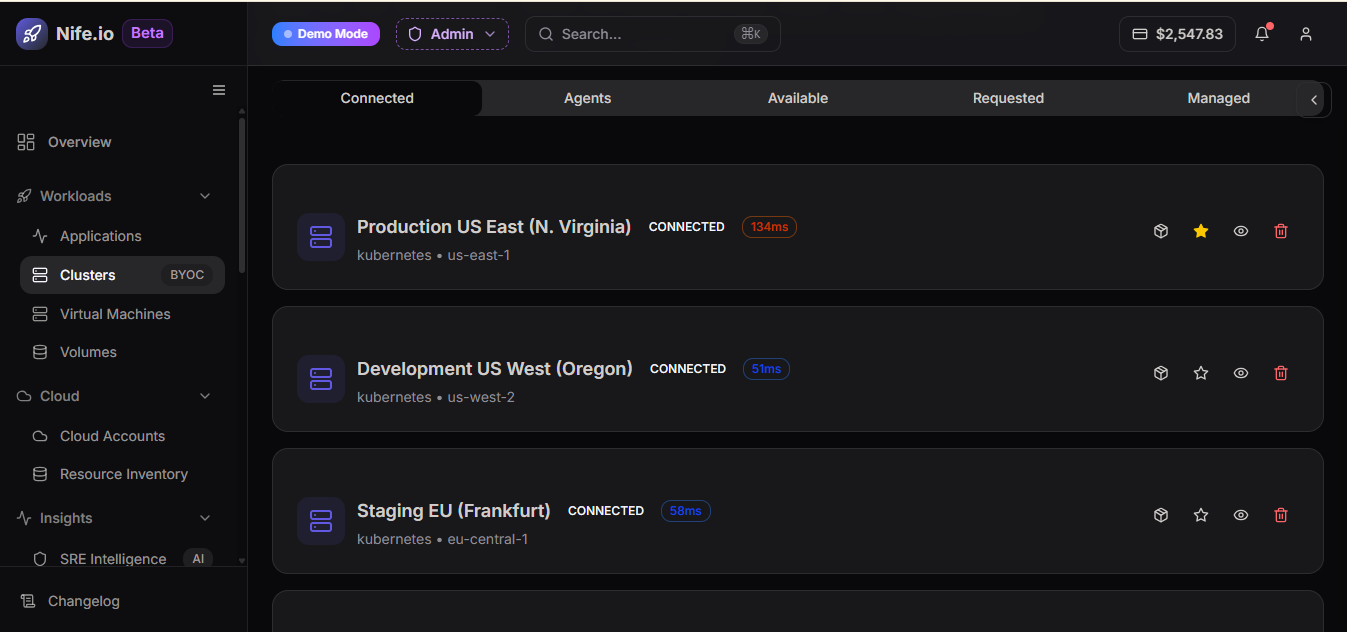
This BYOC feature provides users with the flexibility to bring and manage their own clusters seamlessly within the Nife platform.