App Activity Tracking
The Activity section allows administrators and members to track all actions performed on an application.
Activity Details
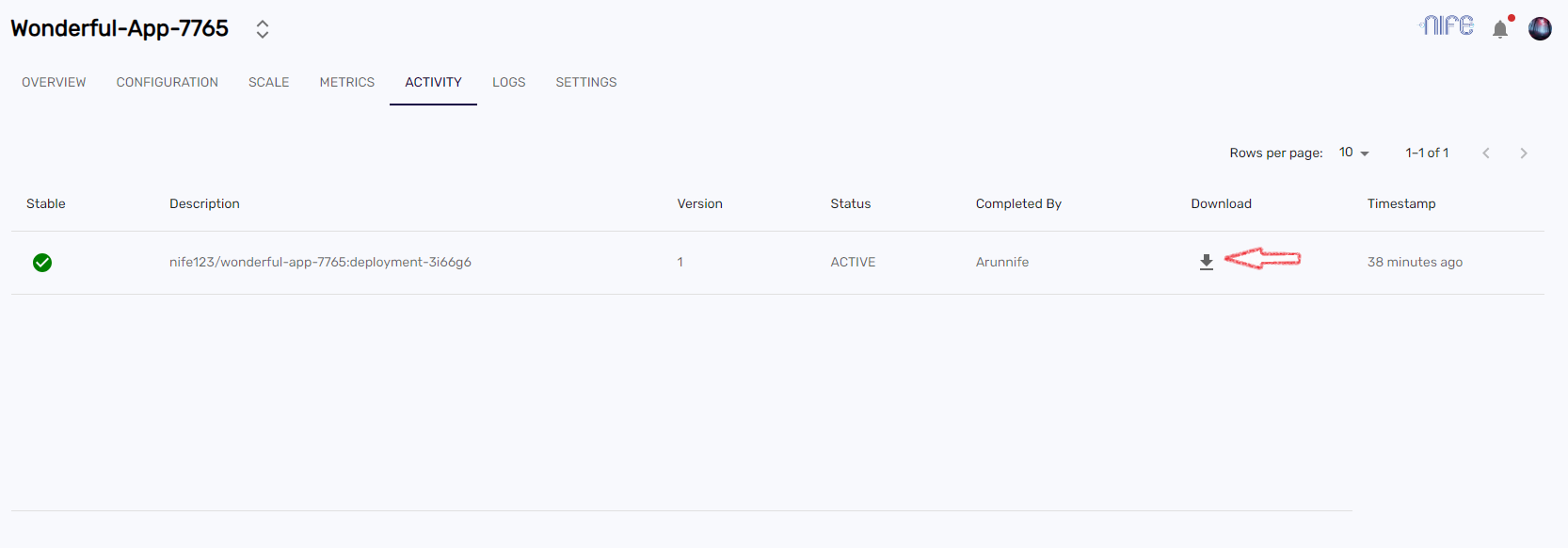
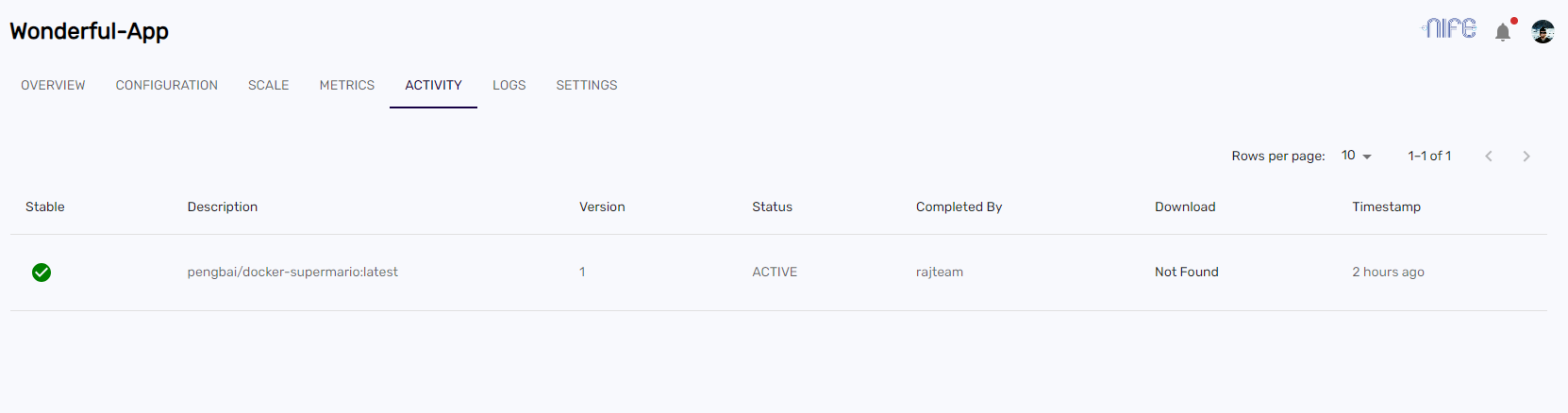
The Activity section provides information on:
- App State: Indicates if the application was successfully deployed.
- Description and Name: Details identifying the specific application.
- Version: The version of the deployed application.
- Status: Shows whether the app is currently Active or Inactive.
- User Action: The admin or organization member who completed the action.
- Download Source Code: An option to download the source code (available for Custom Deployments).
- Timestamp: The date and time the activity was completed.
note
Source code downloads are only available if the deployment was made using source code.
Downloading Source Code
If your application was deployed using the Custom Deployment method, you can download the source code directly from the Activity tab.
- Navigate to the Applications dashboard and select your application.
- Go to the Activity section.
- Locate the desired version and click the Download icon.
- The code will be downloaded in a
<app_name>.zipformat.
- The code will be downloaded in a