Sites Overview
The **Sites ** provides a centralized interface for managing the infrastructure, availability, and performance of your hosted applications.
1. Site Overview & Quick Actions
The overview panel displays core metadata and health metrics for your specific site instance.
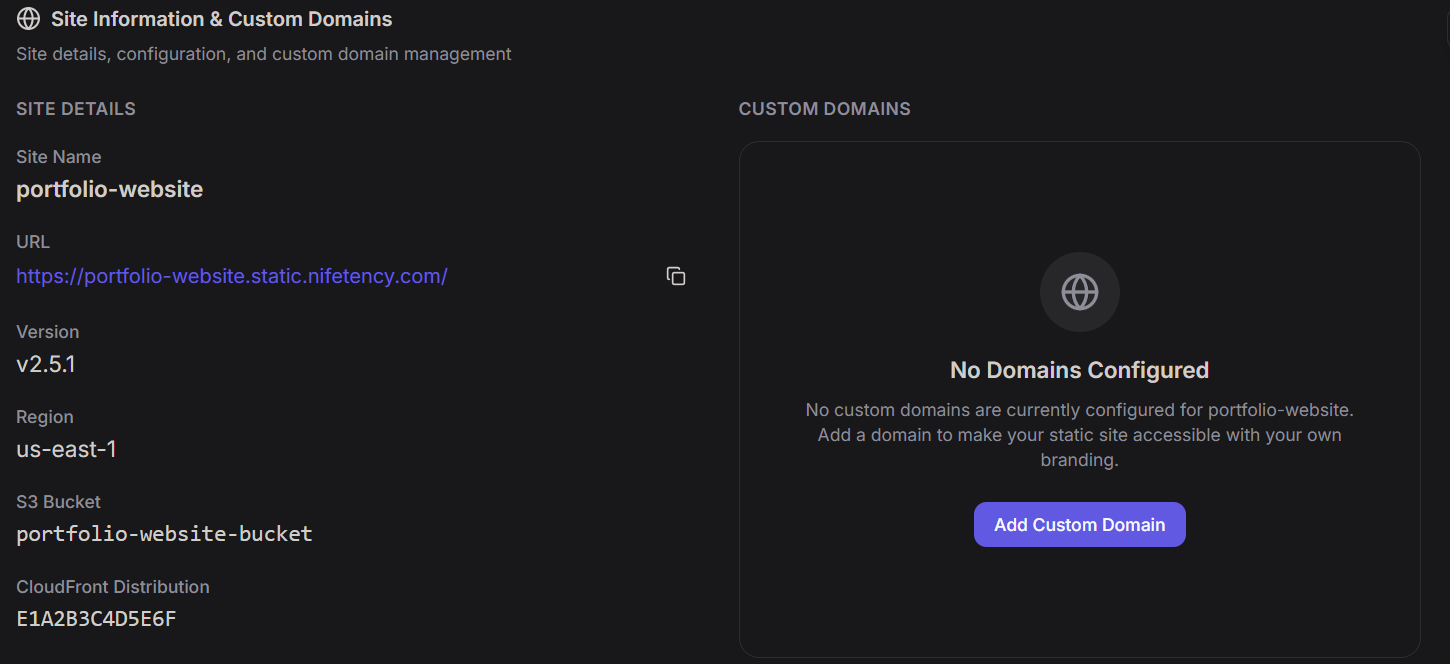
Site Details
- Site Name:
portfolio-website - Region:
us-east-1 - Infrastructure: Powered by AWS S3 (
portfolio-website-bucket) and CloudFront (E1A2B3C4D5E6F).
Metrics Summary
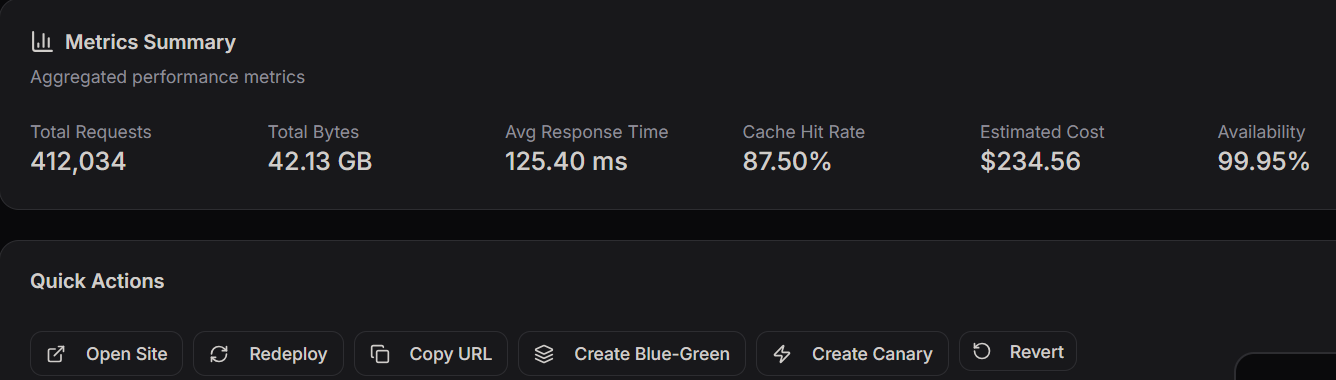
A snapshot of real-time traffic and cost efficiency:
- Total Requests: 412,034
- Cache Hit Rate: 87.50% (High efficiency)
- Estimated Cost: $234.56
- Availability: 99.95%
Quick Actions
Perform instant operations with one click:
- Redeploy: Push the latest code.
- Blue-Green / Canary: Deploy updates to a subset of users for testing.
- Revert: Instantly roll back to a previous stable version.
2. Uptime & Response Monitoring
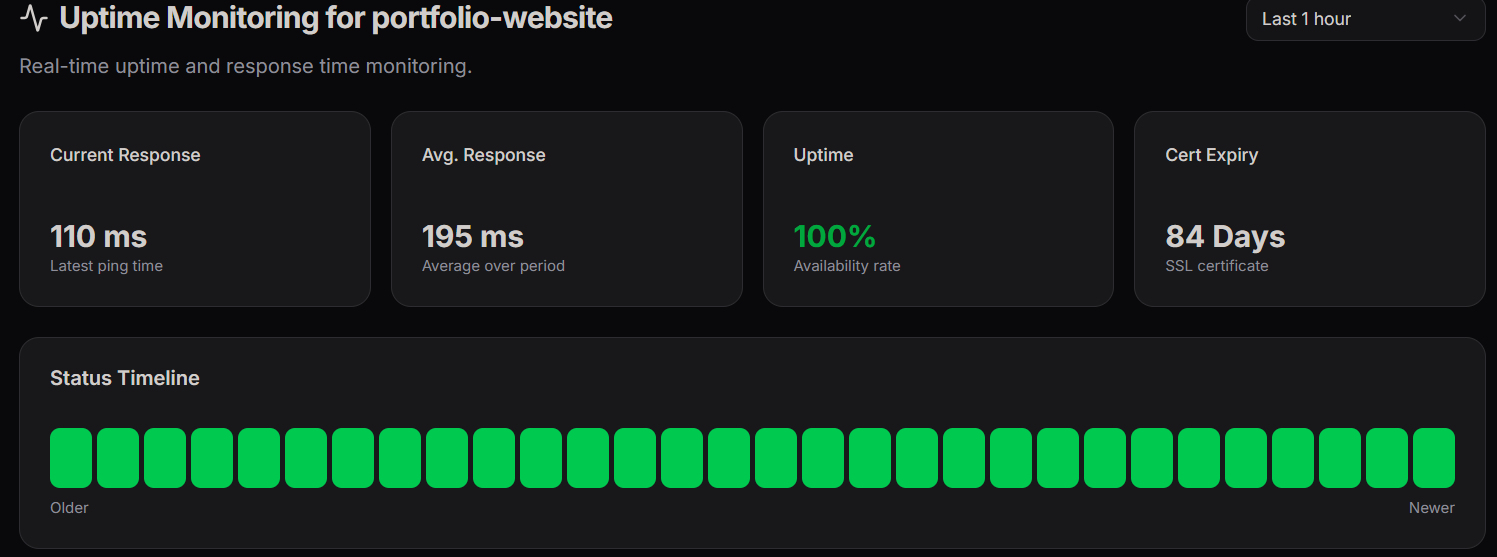
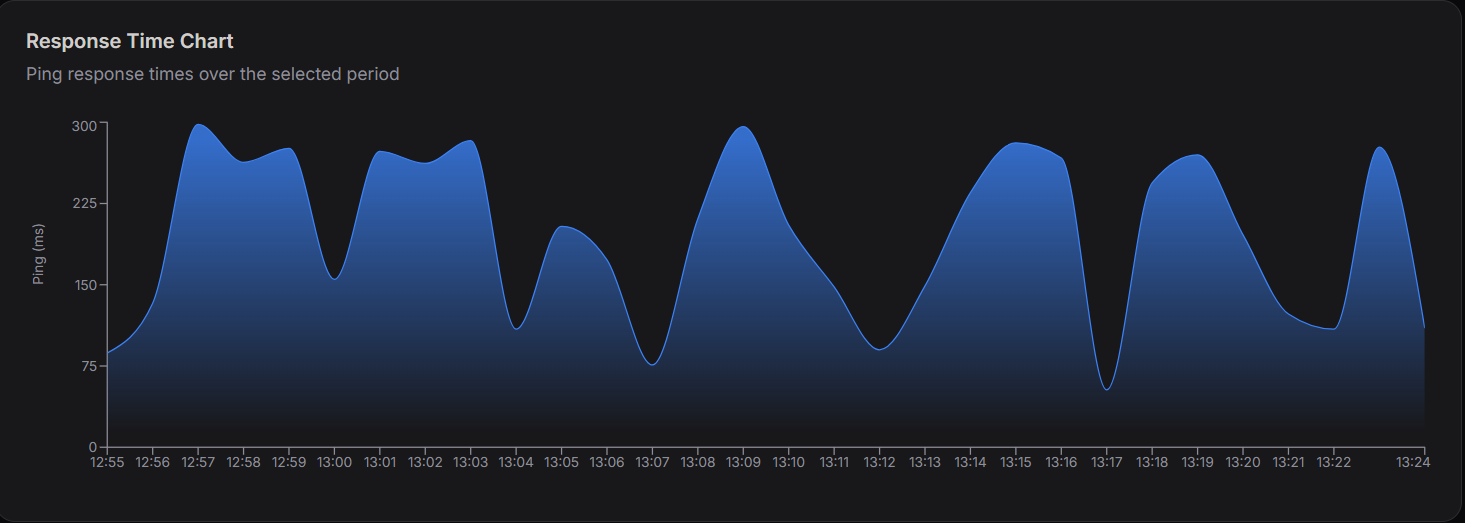
Real-time monitoring ensures your site remains accessible and fast for global users.
- Current Response: 110 ms (Latest ping).
- Avg. Response: 195 ms over the selected period.
- Uptime: 100% Availability rate.
- Cert Expiry: 84 Days remaining on the SSL certificate.
Status Timeline
The green blocks represent a continuous "Up" status. Any downtime would appear as red blocks, allowing for quick visual identification of outages.
3. DNS & Traffic Analytics
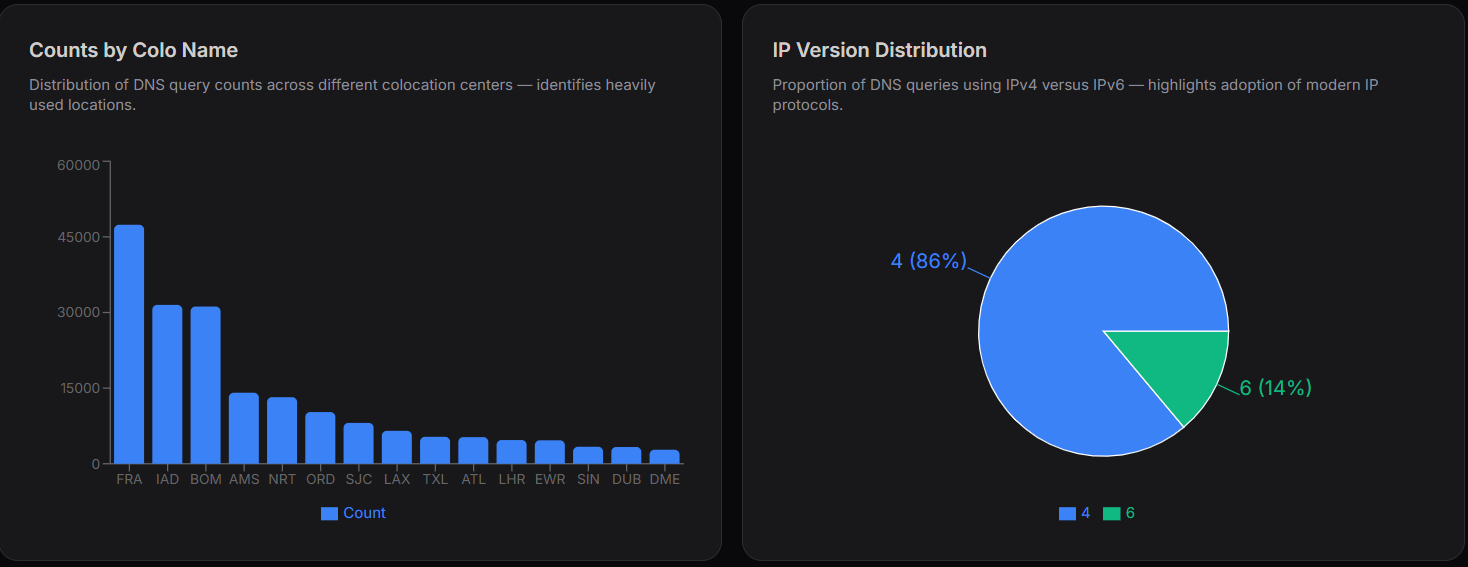
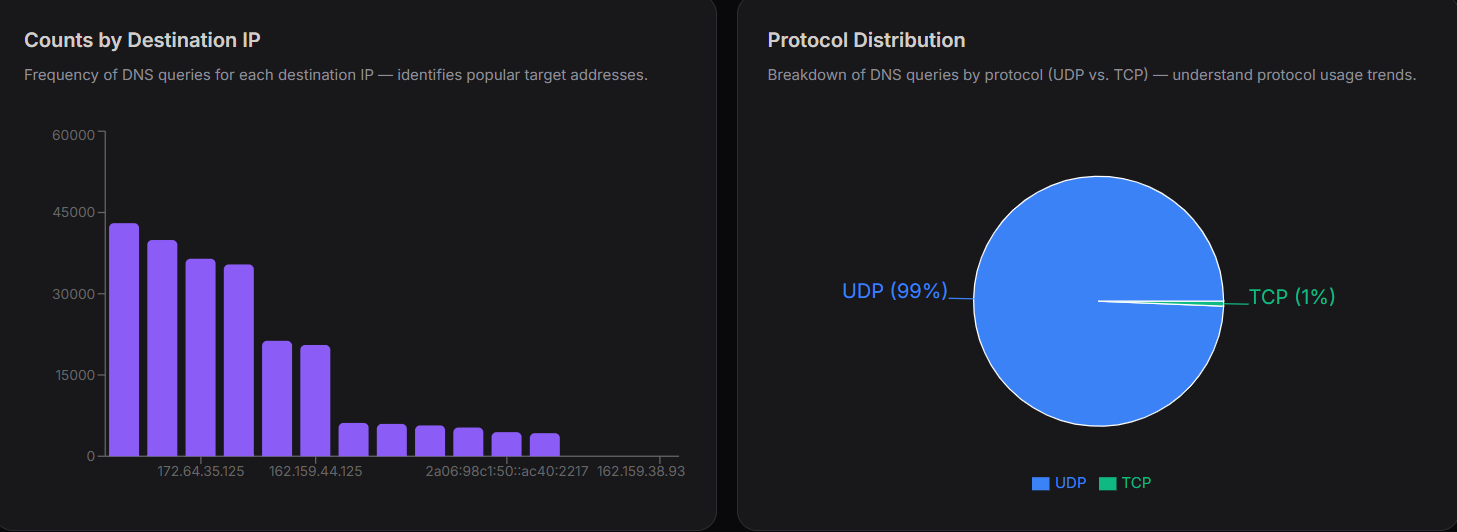
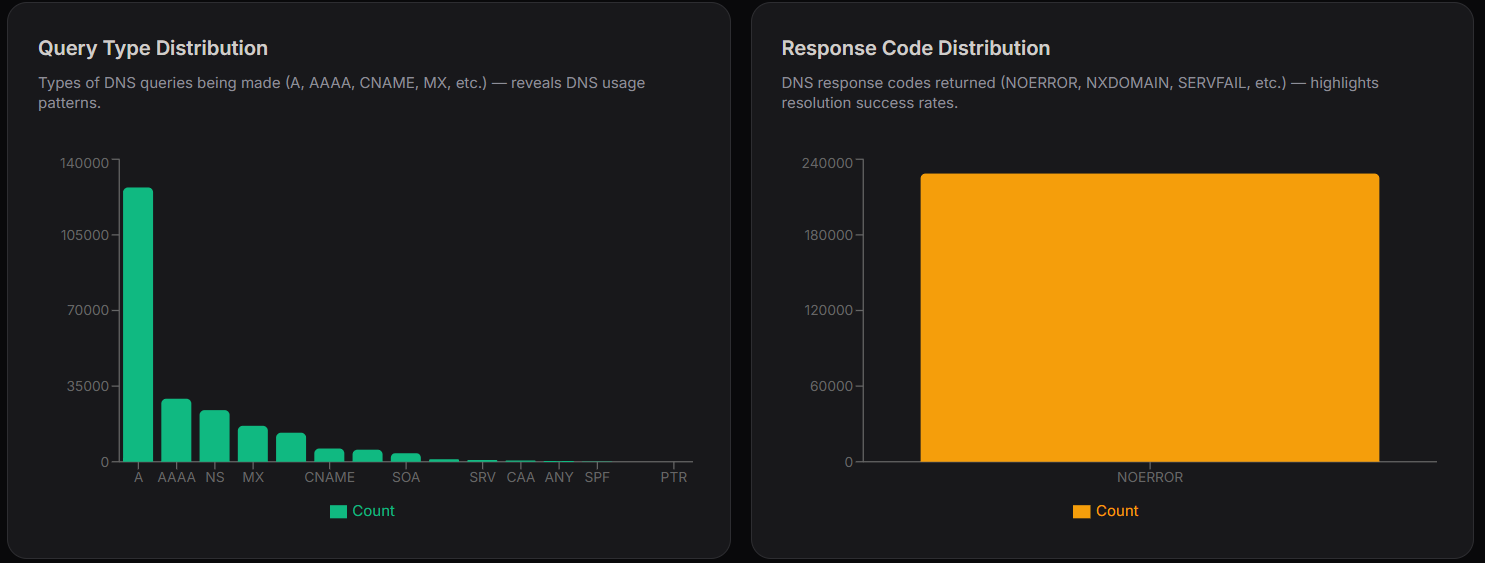
These charts provide deep insights into how users are resolving your site's address and where they are coming from.
| Chart Type | Key Data Points | Insights Provided |
|---|---|---|
| Counts by Colo | FRA, IAD, BOM | Identifies the most active global colocation centers (Frankfurt, Virginia, Mumbai). |
| IP Version | IPv4 (86%) vs IPv6 (14%) | Tracks the adoption of modern IP protocols. |
| Protocol | UDP (99%) vs TCP (1%) | Breakdown of DNS query types. |
| Query Type | A, AAAA, CNAME, MX | Shows that standard A records drive the majority of traffic. |
| Response Code | NOERROR | Indicates a 100% success rate in DNS resolution. |
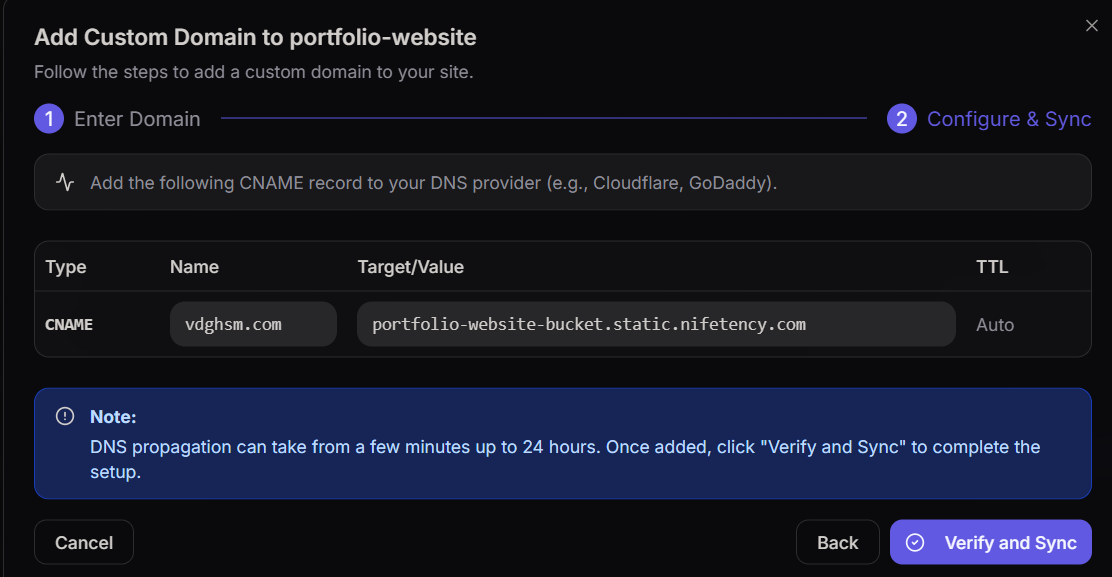
4. Custom Domain Configuration
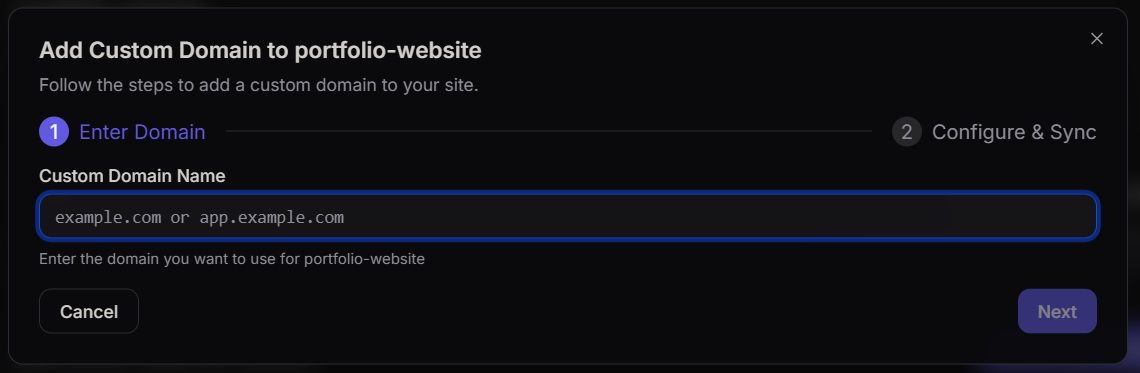
To use your own branding, follow the two-step configuration wizard:
- Enter Domain: Input your custom URL (e.g.,
example.com). - Configure & Sync: Add the generated CNAME record to your DNS provider (Cloudflare, GoDaddy, etc.).
Note: DNS propagation can take between a few minutes and 24 hours. Click Verify and Sync once you have updated your DNS settings.
5. Deployment History
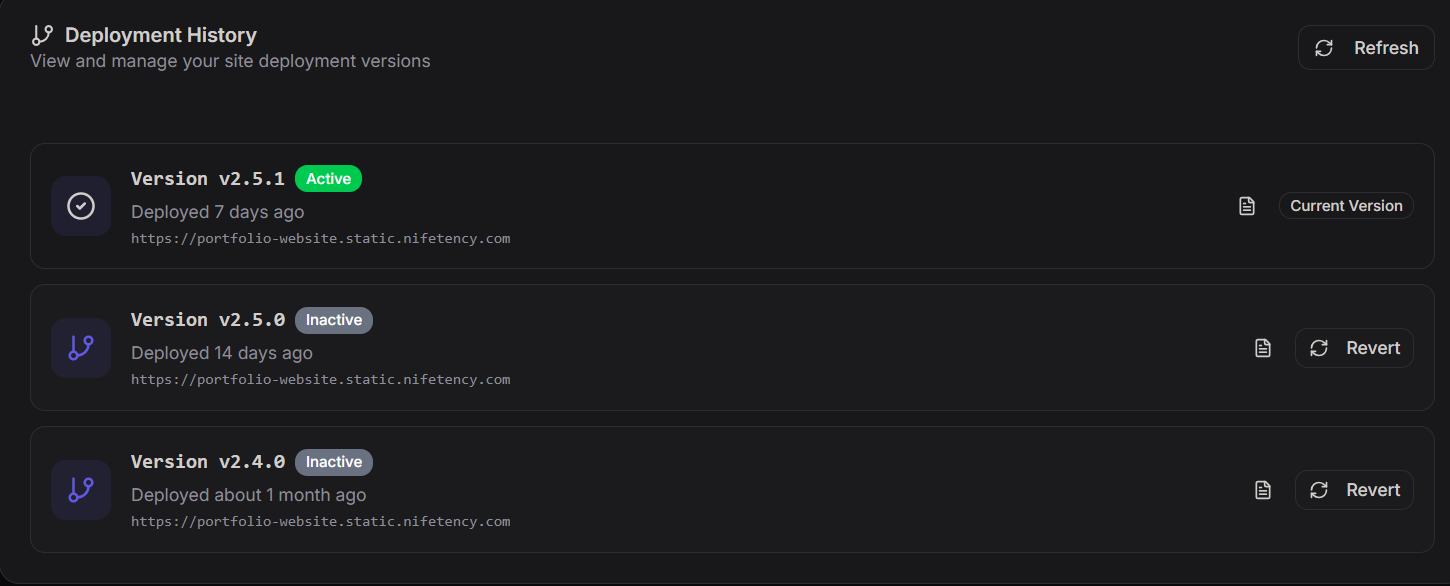
Manage and audit every version of your site that has been pushed to production.
- Current Version:
v2.5.1(Active). - Previous Versions: View a history of
Inactiveversions (e.g.,v2.5.0,v2.4.0). - Rollback Capability: Use the Revert button on any inactive version to immediately make it the live production version.
6. Pre-Deployment Security Scan
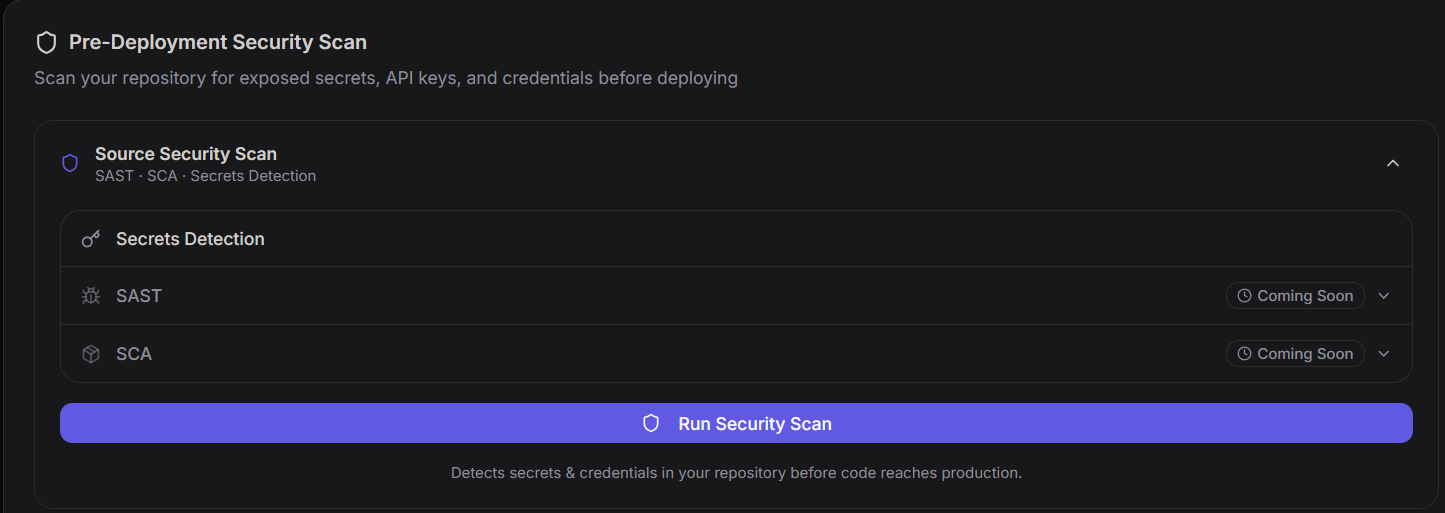
Before code is promoted to production, the platform provides a Pre-Deployment Security Scan to identify potential vulnerabilities within your repository.
Scan Capabilities
The Source Security Scan utilizes three primary detection methods:
- Secrets Detection (Active): Scans for exposed API keys, passwords, and credentials to prevent accidental leaks.
- SAST (Coming Soon): Static Application Security Testing to analyze source code for security flaws.
- SCA (Coming Soon): Software Composition Analysis to identify vulnerabilities in open-source dependencies.
How to Run
Click the Run Security Scan button to initiate a manual check. This ensures that only "clean" code reaches your production environment, maintaining the integrity of your portfolio-website.
7. Site Settings & Configuration
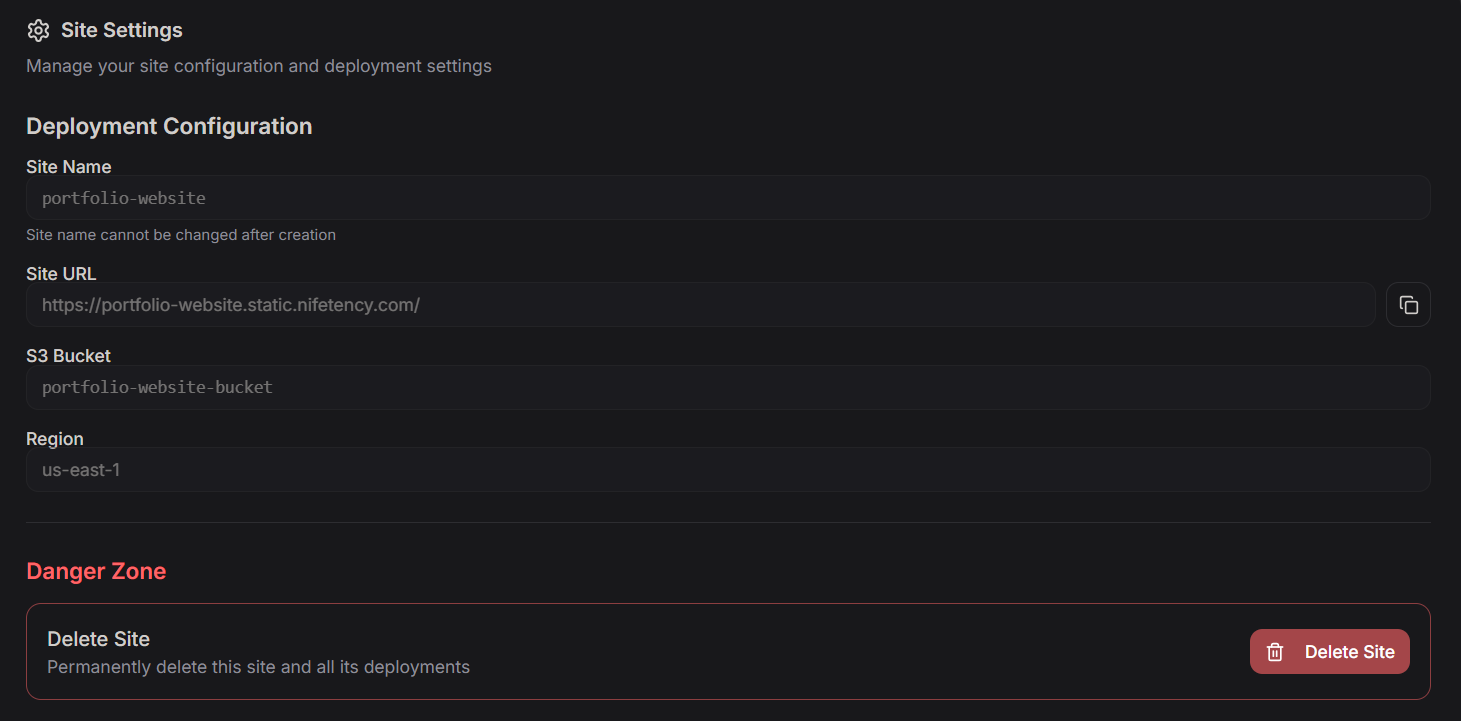
The Site Settings page allows you to view and manage the underlying infrastructure configuration for your deployment.
Deployment Configuration
This section provides a read-only view of the site's immutable properties:
- Site Name:
portfolio-website(Note: This cannot be changed after creation). - Site URL: The direct static endpoint provided by the platform.
- S3 Bucket: The specific storage container where your assets reside.
- Region: The AWS region where your site is hosted (e.g.,
us-east-1).
8. Danger Zone
The Danger Zone contains actions that are irreversible and should be handled with extreme caution.
Delete Site
- Action: Permanently removes the site, the associated S3 bucket, and all historical deployment versions.
- Impact: Once deleted, the site and its data cannot be recovered. Ensure you have backups if necessary before proceeding with the Delete Site button.