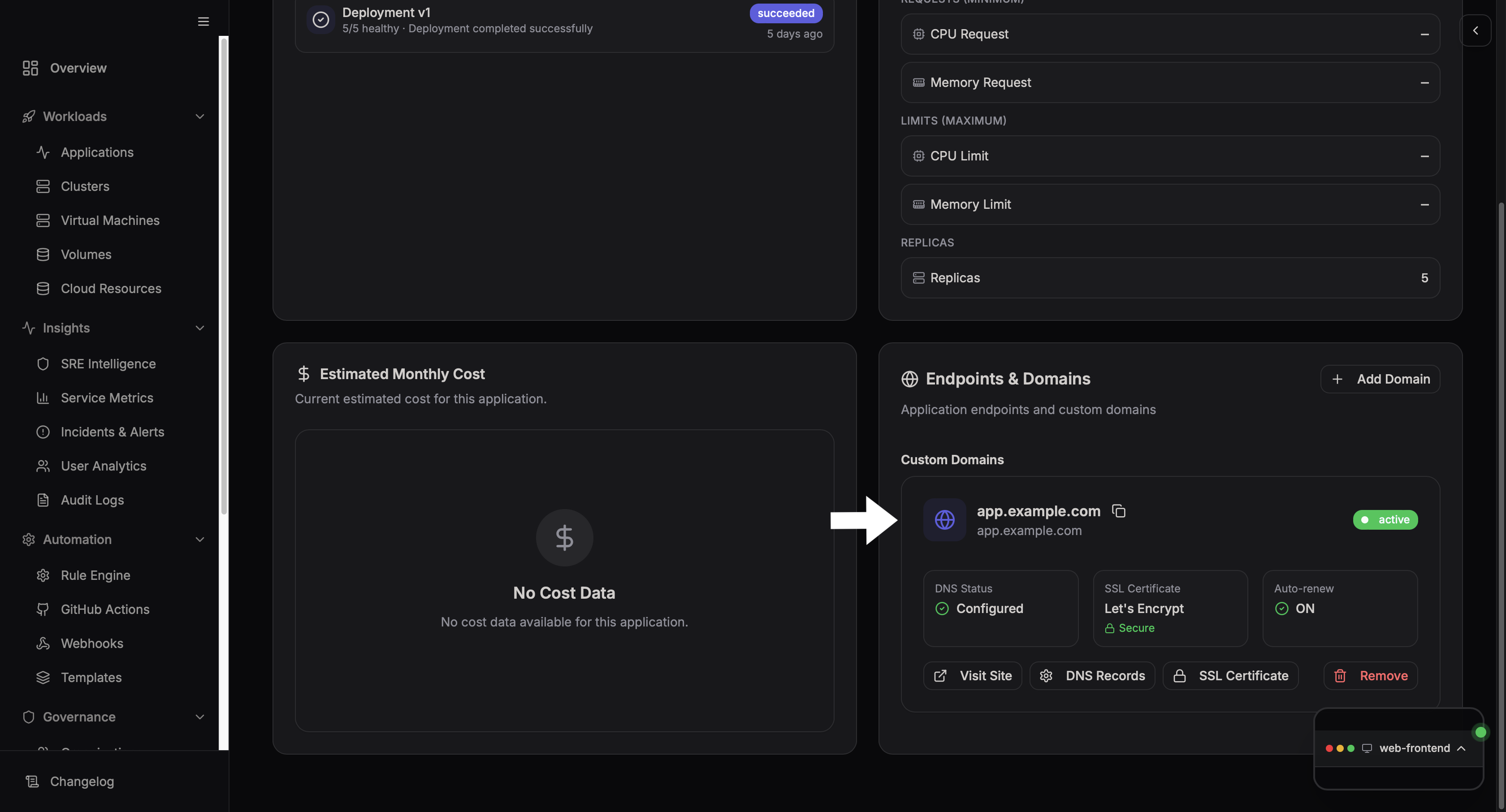
Endpoints and Domains
The Endpoints & Domains section is used to expose your application to the internet.
Step 1: Open Endpoints & Domains
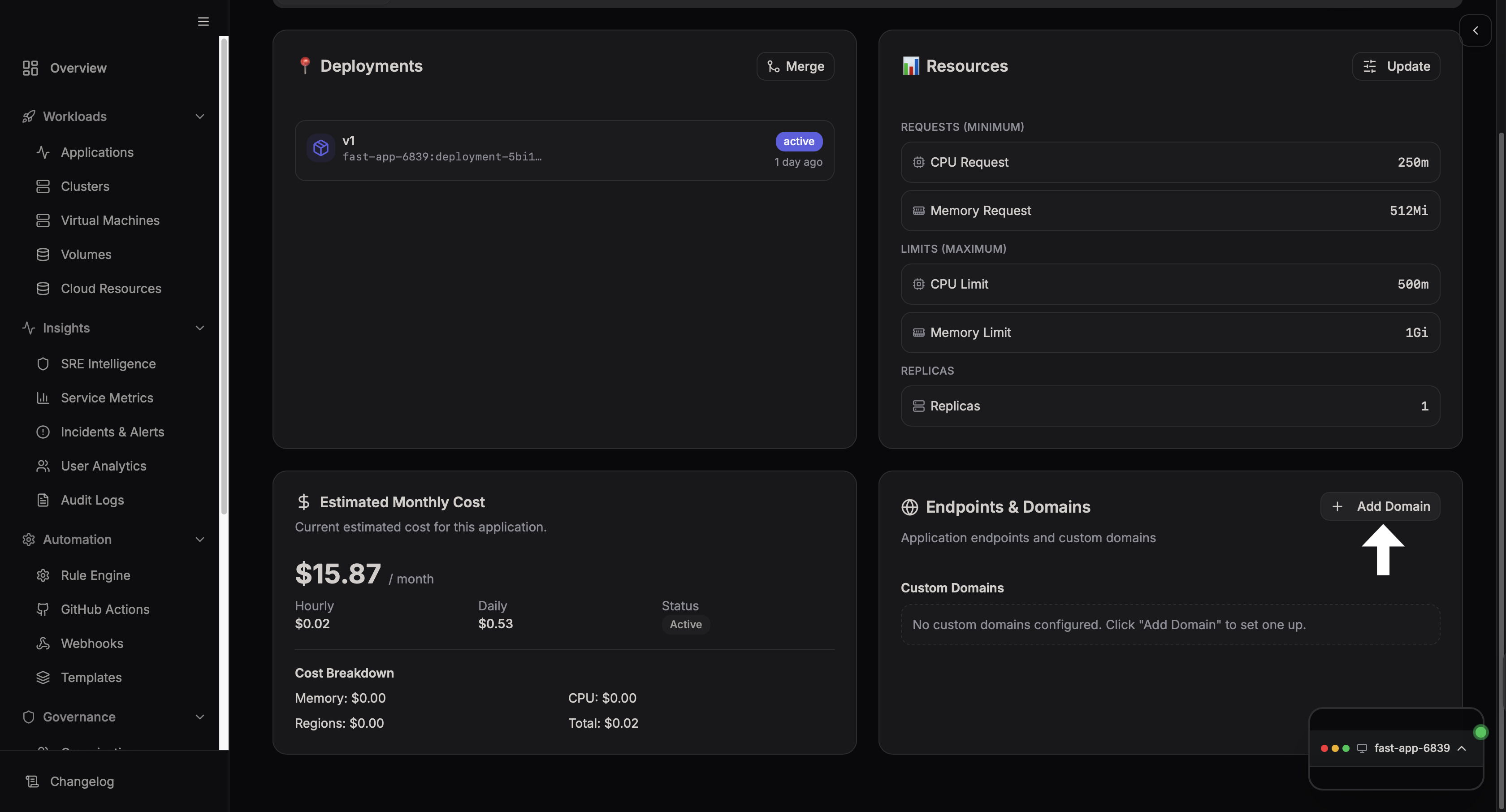
This section shows us the available custom domains and also allows us to new domains.
Click on the Add Domain's button to add a new custom domain.
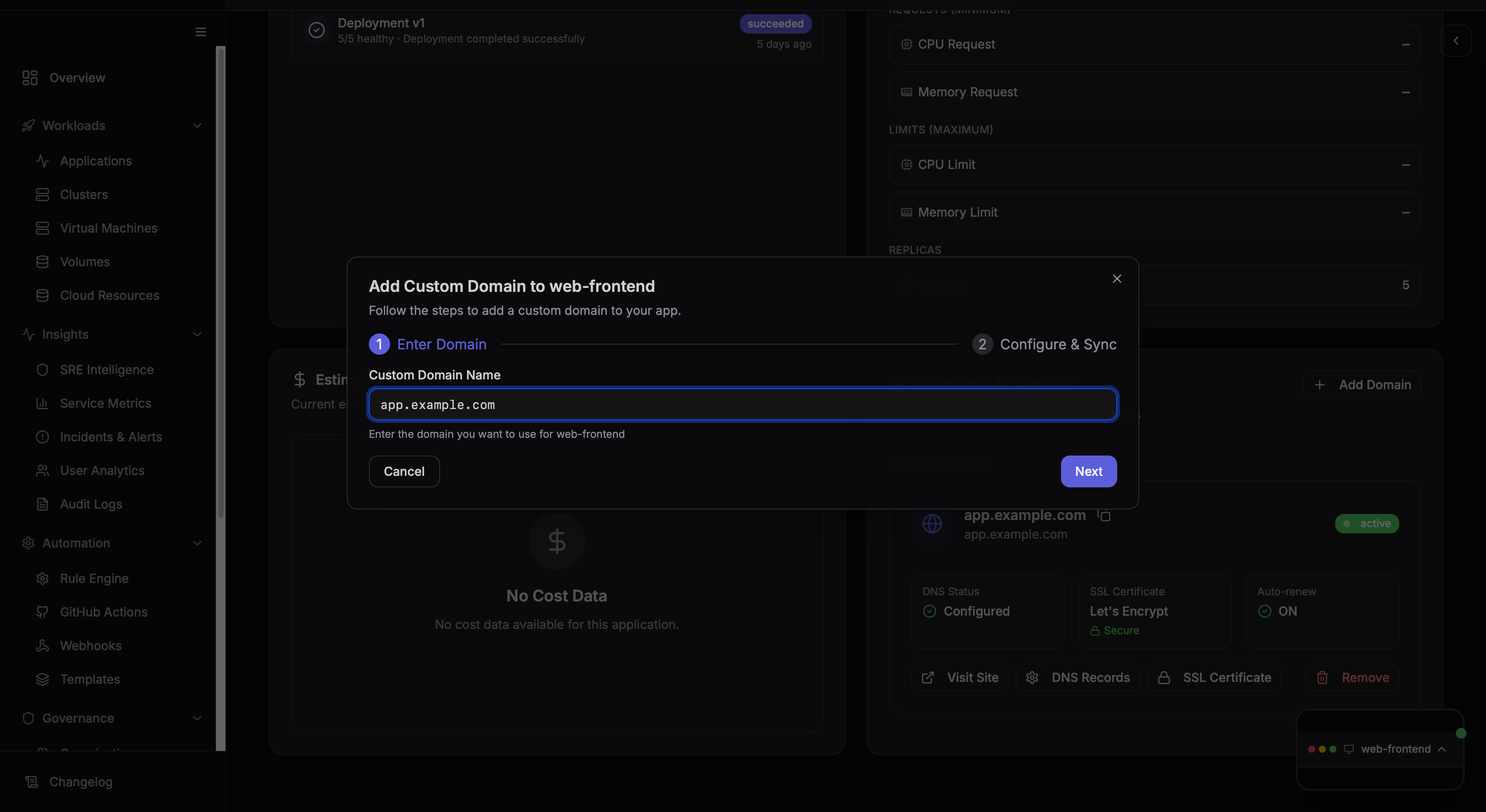
Step 2: Enter Domain Name
This section allows us to enter an Custom Domain Name, which can be the URL of our choice.
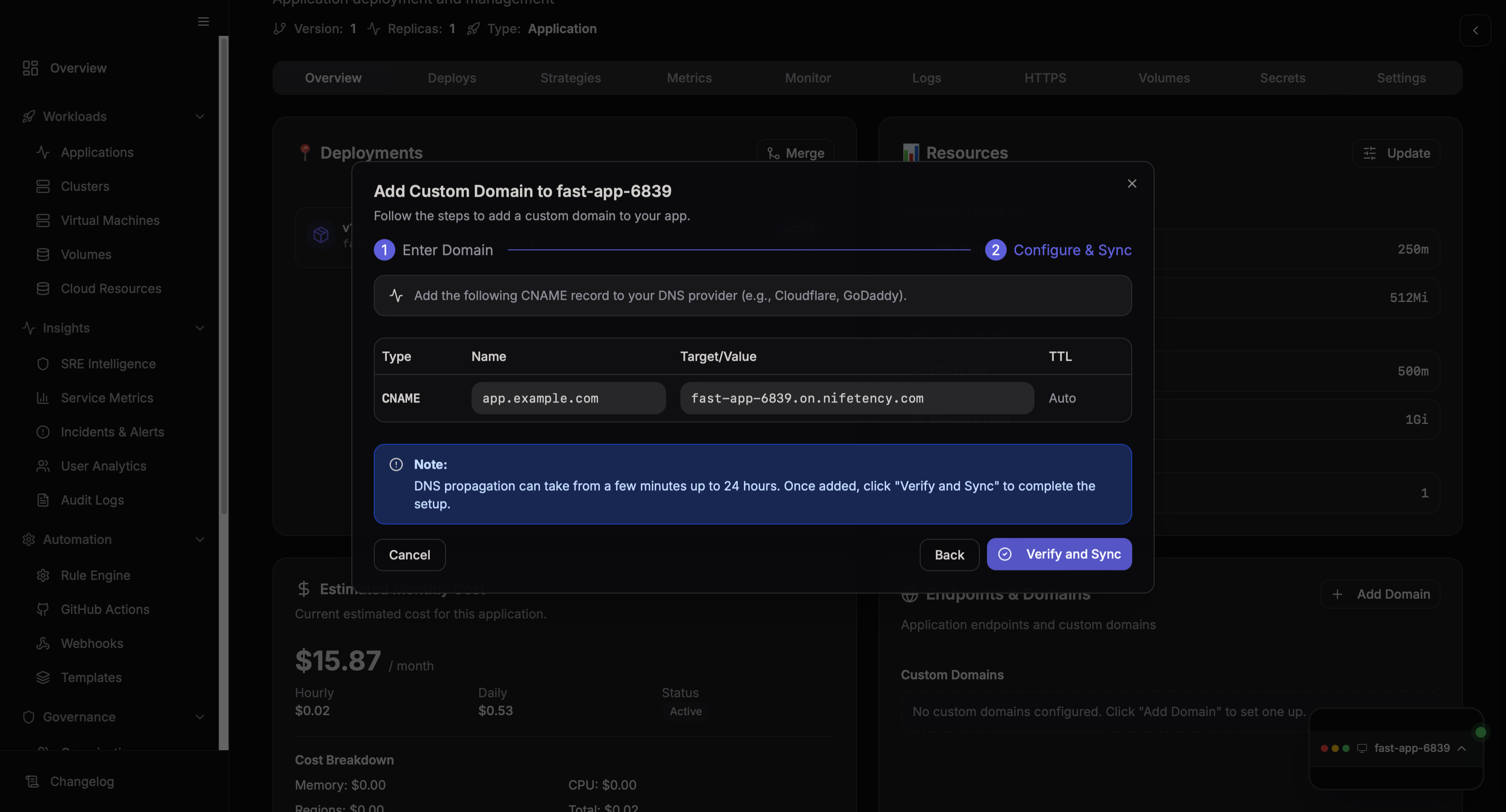
Step 3: Configure Endpoint
Here you can:
- View the endpoint URL
- Verify or go back and again configure a custom domain
- Manage how your application is accessed externally
Final View
Once configured, your application will be accessible via the assigned endpoint or custom domain.